
Chapters & navigation
START HERE
Get started
Choose the right SysWarden v4.10.0 package, verify its origin and prepare a recoverable Linux installation.
On this page
SysWarden v4.10.0 is a stable IVV-validated intermediate release, published on 1 October 2026. Begin with the public release and an explicit recovery plan. A local source build has its own identity and does not inherit the release verdict.
1. Choose your path#
| Your goal | Start here |
|---|---|
| Install a published package | Use the signed v4.10.0 release inventory below |
| Understand and build the code | Read the version-specific source-build procedure |
| Review an existing installation | Consult the operator reference |
| Migrate a historical release | Select the exact source and target in the migration archive; do not extrapolate a historical runbook |
| Review release assurance | Read IVV and IVVQ |
The package matrix is Linux AMD64/x86_64: DEB, standard RPM, an opt-in package-owned RHELPO RPM, and APK. The RHELPO artifact is a separate integration profile, not a generic replacement for the standard RPM.
2. Prepare recovery first#
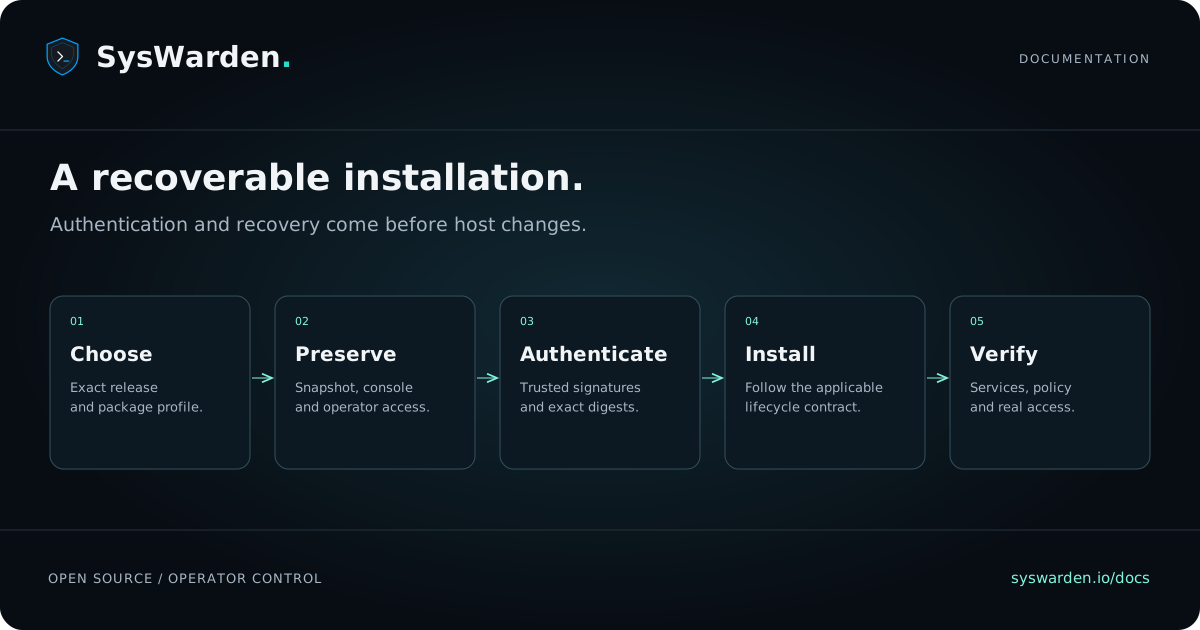
Use a dedicated test host before changing production. Preserve configuration, persistent lists and required audit evidence. Verify a complete recovery snapshot and an independent console. Record the current package and operating-system versions. Keep an operator session open while applying firewall changes.
Read the exact configuration and package lifecycle contract before installation. SysWarden changes host policy; removing a package is not a full machine rollback.
3. Inspect the published inventory#
The release contains twelve files. GitHub-generated source archives are additional source downloads, not native packages.
| File | Purpose |
|---|---|
syswarden_4.10.0_amd64.deb | Debian-family native package |
syswarden_4.10.0_amd64.deb.asc | Detached native DEB signature |
syswarden-4.10.0-1.x86_64.rpm | Standard RPM |
syswarden-4.10.0-1.rhelpo.x86_64.rpm | Opt-in package-owned RPM profile |
syswarden_4.10.0_x86_64.apk | Alpine/OpenRC package |
SHA256SUMS.txt | Standard package checksum inventory |
RELEASE_SHA256SUMS.txt | Complete release payload inventory |
syswarden-update-manifest-v1.json | Signed updater metadata |
syswarden-update-manifest-v1.json.sig | Detached Ed25519 updater signature |
syswarden-release.tar.gz | Release archive |
syswarden-sbom.spdx.json | Software bill of materials |
plumber-report.zip | CI/CD assessment evidence |
Open the official v4.10.0 release. The signed tag points to 3cc06b62d42b5adadc46fc9a252fece5adf670c1. The tested package product is 8c3405758a9b369924f466d12652e99d3a84dc56, linked by the protected acceptance plan and source continuity assessment.
4. Verify before installing#
A checksum detects an unexpected byte change. It does not, by itself, establish who produced a file. Verify the release origin, package-family signature and applicable signed update metadata using independently trusted keys. Use the version-specific authentication procedure.
For an independent provenance check with an already trusted GitHub CLI, this example verifies the DEB against the expected repository, workflow and exact publication commit. Run it in the directory containing the downloaded package:
gh attestation verify syswarden_4.10.0_amd64.deb \
  --repo duggytuxy/syswarden \
  --signer-workflow duggytuxy/syswarden/.github/workflows/release-manager.yml \
  --source-digest 3cc06b62d42b5adadc46fc9a252fece5adf670c1 \
  --deny-self-hosted-runners
This provenance check complements native package authentication. It does not enroll keys or install software. Stop on a mismatch and preserve the diagnostic output.
The maintainer's Sigstore signature on the complete checksum inventory is recorded with laurent@data-shield.eu in Rekor entry 3035233768. The signature authenticates the manifest; it does not assert that every deployment environment is supported.
5. Install for your exact environment#
Use the authenticated package matching your distribution and selected profile. Consult the package lifecycle reference and RHELPO profile before changing the host.
The imported deployment tutorial is explicitly based on v4.04.3. Its pinned commands and inventories remain historical. Do not replace version strings in those commands and assume the result is a reviewed v4.10.0 migration.
After installation, inspect the installed command help, validate the configuration and verify the services and actual firewall state. Test the intended access from a second authorized session. If a check fails, preserve the failure and use the complete recovery point.
6. Ask for help with useful evidence#
Join the SysWarden Discord community. In help-fr or help-en, include the release, operating system, package family, minimal reproduction and anonymized logs. Remove tokens, keys, passwords and private information. For a suspected vulnerability, use the security policy instead of a public support ticket.
What the release proves#
The protected IVV acceptance passed all twelve checks. Historical evidence retains its original candidate identities; the current HA replay is functional. Native traffic evidence is IPv4, with IPv6 lists and kernel states checked separately. Full IVVQ applies to future Upgrade generations. No release statement is a promise of zero regression risk.